What would you do if a stranger could unlock your front door, disable your security cameras, and eavesdrop through your smart speaker — all without ever setting foot near your home? That's not a far-fetched nightmare. It's a real threat that catches unprepared homeowners off guard every single day. The good news is that knowing how to secure your smart home puts the power squarely back in your hands. This guide covers every layer of protection, from quick five-minute fixes to long-term habits. Bookmark our smart home security resource hub for ongoing coverage, and let's get started.
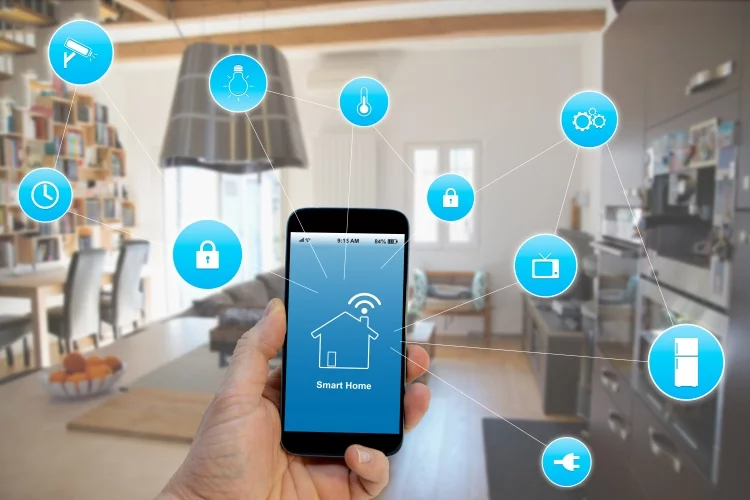
Smart home devices — thermostats, cameras, door locks, baby monitors, voice assistants — all share one thing in common: they connect to the internet. And every connection is a potential door. The average home now has more than ten connected devices, and most owners set them up once and never look back. That's exactly the kind of complacency hackers count on.
According to the Cybersecurity and Infrastructure Security Agency (CISA), IoT (Internet of Things) devices are among the most frequently targeted systems in modern cyberattacks. The steps below are practical, ranked by impact, and most take under ten minutes to complete. You don't need to sacrifice convenience. You just need to stop making it easy.
Contents
Why Your Smart Home Is a Prime Target
Hackers don't just go after banks and corporations. Your home network is a target precisely because most people assume they're too small to matter. Automated bots scan millions of IP addresses every hour looking for easy entry points — and smart home devices are often the easiest door to push open.
Common Entry Points Hackers Exploit
You might be surprised how straightforward most attacks are. Here are the most common vulnerabilities hackers use to get into smart home systems:
- Default credentials — Many devices ship with factory usernames and passwords like "admin" and "1234." Millions of owners never change them.
- Outdated firmware — Firmware (the software built into a device) contains security patches. If you skip updates, you're leaving known holes wide open.
- Unsecured Wi-Fi — A weak or unencrypted home network hands attackers access to every device on it.
- Third-party app permissions — Smart home apps that connect to other services can expose your data if those third parties are compromised.
- Reused passwords — If your smart lock app uses the same password as a breached site, an attacker already has your credentials.
Warning: If your device still uses the password it came with out of the box, it's not secure — no matter how expensive the brand.
What Hackers Actually Do Once They're In
Breaking in isn't always about theft. Once inside your network, attackers can watch your security camera feeds, unlock smart locks remotely, listen through voice assistants, and even recruit your devices into a botnet (a network of hijacked devices used to attack other targets). Some sell access to your cameras on dark web forums. Others use your network to hide their identity while committing other crimes. To understand the broader landscape of digital threats you're up against, read our breakdown of the most common online security threats and how to protect yourself.
How to Secure Your Smart Home Starting Today
You don't need weeks to dramatically improve your security posture. The steps in this section are the highest-leverage actions you can take right now. Do these first before anything else.
Update Every Device Immediately
Open the app for every smart home device you own and check for firmware updates. Do the same for your router — log into its admin panel and look for a firmware update option. This single step closes the majority of known vulnerabilities on your network. Set updates to automatic wherever the option is available.
- Check your router manufacturer's website directly if the admin panel doesn't show an update option.
- Update the apps that control your devices, not just the devices themselves.
- After updating, restart each device to ensure changes take effect.
Lock Down Your Wi-Fi Network
Your router is the front door to your entire smart home. If it's compromised, everything behind it is compromised. Here's what to change immediately:
| Action | Why It Matters | Difficulty |
|---|---|---|
| Change the default router username and password | Factory credentials are publicly documented and trivial to guess | Easy (2 min) |
| Switch to WPA3 encryption (or WPA2 if WPA3 isn't available) | Older WEP and WPA encryption can be cracked in minutes | Easy (2 min) |
| Use a strong, unique Wi-Fi password (12+ characters) | Weak passwords are vulnerable to brute-force attacks | Easy (3 min) |
| Disable WPS (Wi-Fi Protected Setup) | WPS has a known vulnerability that allows bypass of your password | Easy (1 min) |
| Hide your SSID (network name) | Adds a small layer of obscurity, reduces opportunistic scans | Easy (2 min) |
Daily Habits That Keep Intruders Out
Security isn't a one-time setup — it's an ongoing practice. The habits below take very little time but create a significant ongoing barrier against attackers.
Two-Factor Authentication Is Non-Negotiable
Two-factor authentication (2FA) means that even if someone steals your password, they still can't log into your account without a second verification step — usually a code sent to your phone or generated by an app. Enable 2FA on every smart home app and account you use. Authenticator apps like Google Authenticator or Authy are more secure than SMS text codes, but SMS 2FA is still far better than nothing.
- Enable 2FA on your router's admin account if your router supports it.
- Enable it on your smart lock app, camera system, and voice assistant accounts.
- Use an authenticator app rather than SMS whenever you have the option.
Pro tip: A password manager like Bitwarden or 1Password generates strong unique passwords and stores them securely — you only need to remember one master password.
Recognize and Avoid Phishing Traps
Phishing (fake messages designed to steal your login credentials) is one of the most effective ways hackers bypass technical security measures. You could have the strongest password in the world, but if you're tricked into typing it into a fake login page, it's gone. Common phishing attempts targeting smart home users include fake emails claiming your camera "needs re-authentication," fake texts about a security breach, and spoofed manufacturer pages.
The tell-tale signs: urgent language, mismatched sender addresses, and links that don't go to the official domain. Before entering credentials anywhere, double-check the URL. Our detailed guide on phishing vs. spamming breaks down exactly how to spot the difference and protect yourself from both.
Building a Lasting Smart Home Defense
Once you've handled the quick wins and built better habits, the next step is setting up structural defenses that protect you automatically — even when you're not paying attention.
Segment Your Network
Network segmentation means putting your smart home devices on a separate network from your computers, phones, and sensitive data. Most modern routers let you create a "guest network" that you can dedicate entirely to IoT devices. This is one of the most powerful things you can do for long-term smart home security.
Here's why it matters: if a hacker compromises your smart bulb (which happens to have weak firmware), they're now on an isolated network — not the one where your laptop, bank accounts, and personal files live. The damage is contained. Treat your smart home devices as untrusted by default and segment accordingly.
- Log into your router admin panel and look for "Guest Network" or "VLAN" settings.
- Name your IoT network something distinct (not your home address).
- Give it a strong, unique password separate from your main network.
- Turn off the guest network's ability to communicate with your main network (this is usually a checkbox labeled "Allow guests to see each other and access my local network").
Vet Every Device Before You Buy
Not all smart home brands take security equally seriously. Some manufacturers release devices with no update mechanism, meaning a discovered vulnerability can never be patched. Others collect and sell your data, or have poor track records with responding to disclosed security flaws. Before you bring a new device home, research it. Check whether the brand releases regular firmware updates, has a published privacy policy, and has responded responsibly to past security disclosures. Cheaper off-brand devices from unfamiliar manufacturers often skip the security rigor entirely. Paying a little more for a reputable brand is a genuine security decision, not just a lifestyle one.
Frequently Asked Questions
How do I know if my smart home has been hacked?
Common signs include devices behaving unexpectedly (lights turning on or off, cameras repositioning on their own), unusual spikes in your internet data usage, unfamiliar devices appearing in your router's connected device list, and being unexpectedly logged out of smart home accounts. If you notice any of these, change all your passwords immediately and check your router's device log.
What is the single most important step to secure my smart home?
Changing default usernames and passwords on every device and your router is the single highest-impact action you can take. The vast majority of successful smart home hacks exploit unchanged factory credentials. Do this before anything else.
Should I use a VPN for my smart home devices?
A VPN (Virtual Private Network) on your router encrypts all traffic leaving your home network, which adds a useful layer of privacy. It won't stop every attack, but it prevents your ISP and outside observers from seeing what your devices are communicating. It's a worthwhile addition once you've handled the foundational steps in this guide.
Are some smart home brands safer than others?
Yes. Brands with dedicated security teams, regular firmware update schedules, and published vulnerability disclosure policies are meaningfully safer. Research any brand before purchasing. Look for recent firmware update history in the app store reviews or the manufacturer's website. Avoid devices that haven't received an update in over a year.
How often should I check for smart home device updates?
Monthly at minimum. Set a recurring reminder to open each device's app and check for firmware updates. Enable automatic updates wherever the option exists. Your router firmware should also be checked monthly, as it's the most critical device on your network and often requires manual updates.
A smart home is only as secure as the habits of the person running it — so build the right ones today, and your home takes care of itself.


About Robert Fox
Robert Fox spent ten years teaching self-defence in Miami before transitioning into home security consulting and writing — a background that gives him an unusually practical, threat-aware perspective on residential security. His experience spans physical security assessment, lock and alarm system evaluation, and the behavioral habits that make homes harder targets. At YourHomeSecurityWatch, he covers home security product reviews, background check and criminal records resources, and practical guides on protecting your property and family.
You can Get FREE Gifts. Furthermore, Free Items here. Disable Ad Blocker to receive them all.
Once done, hit anything below