Best Door & Window Sensors: Reviews, Buying Guide, and FAQs 2026
by Robert Fox
You're standing in the security aisle at the hardware store — or more likely scrolling through listings at midnight — and you realize there are dozens of door and window sensors with completely different price points, protocols, and promises. The sheer number of options makes it easy to buy the wrong one and end up with a device that doesn't work with your existing system or leaves gaps in your coverage. This guide cuts through the noise so you can pick the right sensor the first time, whether you want a dead-simple standalone chime or a fully integrated smart-home detector.
Door and window sensors are the backbone of any layered home security plan. According to the FBI's Uniform Crime Reporting program, the majority of residential break-ins happen through first-floor entry points — doors and windows — which makes these sensors the single most cost-effective security investment you can make. If you haven't thought about your entry points yet, our overview of 7 home security weak points is worth a quick read before you buy.
Below you'll find seven of the best door and window sensors available in 2026, covering everything from a $10 standalone alarm to professional-grade Z-Wave hardware. We've organized them by use case so you can match your situation quickly and move on with your day. You can also browse our full door and window sensor reviews for deeper comparisons beyond this list.
Contents
- Standout Models in 2026
- Detailed Product Reviews
- UltraPro Personal Security Window and Door Alarm — Best Standalone Budget Alarm
- Honeywell 5800MINI Door/Window Transmitter — Best for Existing Security Systems
- ecobee Smart Sensor for Doors & Windows — Best for Smart Thermostat Owners
- Kangaroo Motion + Door & Window Detector — Best No-Hub Wi-Fi Sensor
- Insteon Wireless Open/Close Sensor — Best for Home Automation Enthusiasts
- Abode Mini Door/Window Sensor — Best for Apple HomeKit Users
- FIBARO Door/Window Sensor 2 — Best Premium Z-Wave Sensor
- What to Look For When Buying
- FAQs
Standout Models in 2026
- #PreviewProductRating
- Bestseller No. 1
 Rating:

- Bestseller No. 2
 Rating:
 - Bestseller No. 3
 Rating:
- Bestseller No. 4
 Rating:
- Bestseller No. 5
 Insteon Wireless Open/Close Sensor for Doors & Windows, 2843-222 Hub Required for Smarthphone AlertsRating:
 - Bestseller No. 6
 Rating:
 - Bestseller No. 7
 Rating:


Detailed Product Reviews

1. UltraPro Personal Security Window and Door Alarm — Best Standalone Budget Alarm
If you rent an apartment or need protection in a room without any existing smart-home infrastructure, the UltraPro is the sensor you want. It uses a high-quality magnetic reed contact — the same fundamental technology used in professional alarm systems — to detect when a door or window separates from its frame, then triggers a piercing 120-decibel alarm that's loud enough to wake up an entire floor. The three-position switch (OFF, chime, alarm) lets you flip between a polite arrival chime and a full security blast in seconds, which is genuinely useful if you want alerts during the day without waking neighbors at night.
Installation is genuinely foolproof — you peel the backing off the included double-sided tape, press the two halves in place on the door and frame, and you're done in under two minutes with zero tools required. The sensor must be installed indoors, so it's not designed for exterior outbuildings, but for interior doors, bedroom windows, and garage entry points it works exactly as advertised. Each pack contains two sensors, so you can cover both sides of a patio door or put one on the front door and another on a ground-floor window simultaneously, which gives you basic layered coverage without spending more than the cost of a pizza.
The trade-off is that this is a completely standalone device with no app, no cloud, and no smart-home integration. There are no notifications to your phone when you're away from home, and no history log. For someone who just wants a simple deterrent on a back window or a vacation rental, that simplicity is a feature rather than a flaw. But if remote monitoring is important to you, look further down this list.
Pros:
- Extremely simple two-minute peel-and-stick installation with no tools
- 120 dB alarm is genuinely loud — a serious deterrent for intruders
- Three-position switch lets you use it as a chime or a full alarm
- Very affordable entry point for first-time buyers
- Two-pack coverage included in each box
Cons:
- No smartphone notifications or remote monitoring capability whatsoever
- Indoors-only installation limits placement flexibility
- No integration with any smart-home platform

2. Honeywell 5800MINI Door/Window Transmitter — Best for Existing Security Systems
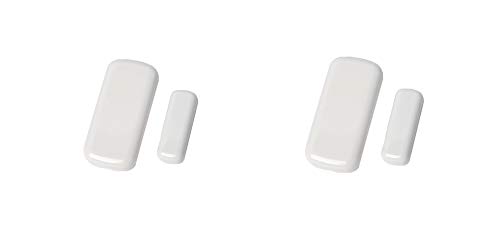
If you already have a Honeywell or Resideo alarm panel — or you're building a system around one — the 5800MINI is the workhorse sensor you'll buy in bulk. This is a direct replacement for the discontinued Honeywell 5811, and it uses the same 5800-series wireless protocol that professional installers have trusted for decades. The 5800MINI communicates directly with compatible alarm control panels using a proven radio frequency link, which means your central monitoring station gets an instant tamper alert the moment a door or window opens, with no Wi-Fi dependency and no cloud outage risk to worry about.
The form factor is intentionally minimal — a small white transmitter that pairs cleanly with the included magnet and disappears into the corner of a door frame without drawing attention. Battery life on these units is measured in years rather than months, and because the 5800-series protocol is so well established, you'll find that most professional monitoring companies can integrate these sensors into a monitored plan without any additional hardware. The 2-pack value is significant if you're outfitting multiple entry points, which most households need to do to get real coverage.
The important caveat is that the 5800MINI does nothing on its own without a compatible panel. There's no built-in alarm, no app pairing, and no standalone functionality. This is a professional-grade component sensor, and it's priced and designed accordingly. If you're a DIYer who wants a drop-in upgrade to an existing Honeywell system or you're a security professional sourcing sensors for a client, this is the right choice. If you don't have a compatible panel, look at the other options on this list.
Pros:
- Industry-standard 5800-series protocol trusted by professional installers
- Multi-year battery life with minimal maintenance
- Compact design that blends into any door or window frame
- Two-pack pricing makes multi-point coverage cost-effective
- No Wi-Fi dependency — works through RF even during internet outages
Cons:
- Requires a compatible Honeywell/Resideo control panel — not a standalone device
- No smartphone app or cloud connectivity without additional panel hardware

3. ecobee Smart Sensor for Doors & Windows 2 Pack — Best for Smart Thermostat Owners
The ecobee Smart Sensor occupies a genuinely useful niche: it bridges your security awareness and your energy savings in a single small device. When you pair these sensors with an ecobee Smart Thermostat Premium, the system recognizes that a window or door is open and automatically pauses heating or cooling so you're not spending money conditioning the outdoors — a feature that pays for the sensors over time in reduced utility bills. Real-time push notifications arrive through the ecobee app whenever a contact opens or closes, and no Smart Security Subscription is required to use that basic alerting feature, which is a meaningful distinction compared to competitors who lock notification access behind a monthly paywall.
The placement flexibility of these sensors goes beyond doors and windows. You can mount them on medicine cabinets, drawers, safes, or any other surface where you want to know if something is being accessed, which makes them genuinely versatile inside the home. The pairing chime feature — where the thermostat audibly announces when a door or window opens — is a quieter, friendlier version of the traditional 120 dB alarm and works well for households with kids where you want awareness rather than panic. The 2-pack configuration means you get coverage for two entry points right out of the box.
The obvious limitation is that these sensors are tied to the ecobee ecosystem. They work through the ecobee app and thermostat, not as a general-purpose security device. If you don't own an ecobee thermostat or don't plan to get one, there's no pathway to use these sensors effectively. For ecobee households, though, this is one of the smartest sensor purchases you can make in 2026.
Pros:
- Real-time app notifications with no subscription required for basic alerts
- Energy-saving thermostat integration that actually reduces utility costs
- Versatile placement — works on drawers, safes, and cabinets, not just doors
- Audible door-open chime through compatible ecobee thermostats
- Two-pack value for multi-point coverage
Cons:
- Locked into the ecobee ecosystem — useless without a compatible ecobee thermostat
- Not a standalone alarm — provides no deterrent sound by itself
4. Kangaroo Motion + Door & Window Detector — Best No-Hub Wi-Fi Sensor
The Kangaroo detector is the rare device that genuinely delivers two sensing modes in one compact body — it detects both door and window contact events and motion in the surrounding area, which means a single unit covers what you'd normally need two separate sensors to handle. The entire system runs over standard Wi-Fi with no hub required, so you don't need a separate bridge, Z-Wave controller, or subscription gateway to get instant mobile alerts when something opens or when motion is detected. Setup is peel-and-stick with no tools and takes roughly a minute on a clean, flat surface.
For renters, apartment dwellers, or anyone who doesn't want to invest in a full smart-home hub, this is one of the most accessible Wi-Fi security sensors on the market in 2026. The Kangaroo app sends push alerts to your phone the moment activity is detected, and because the sensor is battery-powered, you can reposition it whenever your needs change without running new wires or drilling new holes. The dual detection mode is particularly valuable on a sliding glass patio door, where you want to know both if the door is opened and if someone is standing nearby — two different threat signals that demand different responses.
The trade-off with any Wi-Fi sensor is that your alerts depend entirely on your internet connection being active. If your router goes down or you lose power, the sensor goes dark. For most households with reliable broadband, this is an acceptable risk, but it's worth knowing before you rely on this as your primary security layer. The Kangaroo ecosystem also includes cameras and other accessories, so if you want to expand coverage later, the app already supports the full lineup.
Pros:
- Dual detection — contact events plus motion in a single device
- No hub required — works directly over standard 2.4 GHz Wi-Fi
- Instant mobile alerts with no subscription required for basic use
- Peel-and-stick, battery-powered — completely renter-friendly
- Expandable within the broader Kangaroo security ecosystem
Cons:
- Alert delivery depends on an active internet connection — no offline fallback
- Single-pack; you'll need to buy multiple units for full home coverage

5. Insteon Wireless Open/Close Sensor — Best for Home Automation Enthusiasts
The Insteon Open/Close Sensor is built for people who want their door and window events to trigger actual automation routines — lights that turn on when the garage door opens, appliances that cut power when a window closes, or alerts that fire when a monitored entry is breached. The sensor integrates with the Insteon Hub to deliver smartphone notifications and supports direct device-to-device scene control, which means it can talk to Insteon switches and outlets without routing every command through the cloud. For a home automation enthusiast, that local-first architecture is a significant reliability advantage over purely cloud-dependent platforms.
What makes this sensor particularly flexible is the hardwired input terminals that let you connect standard wired security sensors — the kind installed in older homes with existing perimeter wiring — and bring them into the Insteon system. If your house already has magnetic contacts wired into the frame but no working panel to process them, this sensor can act as a wireless bridge that modernizes that legacy hardware without tearing out the old wiring. Battery operation keeps the installation clean and wireless, and the setup process through the Insteon app is straightforward for anyone who has worked with the platform before.
The important note for 2026 buyers is that Insteon has had company continuity challenges in recent years, so you should verify that the hub and app services are still active before committing to this ecosystem as your primary platform. If you're already an Insteon household with existing devices, adding this sensor is a natural extension. If you're starting from scratch, the Abode or Kangaroo options may offer more stable long-term support.
Pros:
- Triggers lights and appliances directly — genuine home automation beyond just alerts
- Hardwired input terminals let you integrate legacy wired security sensors
- Local-first communication reduces cloud dependency for device-to-device control
- Battery-powered for clean, tool-free installation
Cons:
- Requires the Insteon Hub for smartphone alerts — not a standalone device
- Insteon's platform continuity raises ecosystem longevity concerns for new buyers
6. Abode Mini Door/Window Sensor — Best for Apple HomeKit Users
The Abode Mini sensor stands out in 2026 because it's one of the few contact sensors that works natively with Apple HomeKit while also integrating with Alexa and Google Assistant in the same device — and all three voice platforms can report door and window status on demand, which is a convenience most competing sensors can't match without extra workarounds. The unique naming feature in the Abode app lets you label each sensor by its exact location — "kitchen back window," "master bedroom slider," "garage side door" — so when an alert arrives, you know precisely where the activity is without decoding a generic device number.
When an armed Abode system detects an opening, it triggers the hub alarm immediately and simultaneously pushes a notification to your phone, so you get both the local deterrent sound and the remote awareness in one event. The sensor pairs cleanly with Abode's broader ecosystem, which includes cameras, motion sensors, and a professional monitoring option if you want a human response team as your backup. For Apple HomeKit households where you want security events to flow into your Home app alongside lights and locks, this is the most natural integration available in the contact sensor category. Pairing it with smart door lock hardware from our biometric door lock guide gives you a complete entry-point security layer that covers both access control and intrusion detection.
The requirement for an Abode Hub is the main cost and complexity consideration — you're committing to the Abode ecosystem, not buying a standalone sensor. If you're already evaluating Abode as your central security platform, the Mini sensor is an obvious addition. If you're building around a different hub, check compatibility carefully before purchasing.
Pros:
- Native Apple HomeKit, Alexa, and Google Assistant integration in a single device
- Unique location-based sensor naming so alerts tell you exactly which entry is open
- Triggers hub alarm AND sends phone notification simultaneously when armed
- Compatible with Abode's professional monitoring option for human-response backup
- Clean, compact form factor that disappears on any door or window frame
Cons:
- Requires an Abode Hub — not a standalone or Wi-Fi-direct device
- Hub cost adds to the total investment if you're starting fresh
7. FIBARO Door/Window Sensor 2 — Best Premium Z-Wave Sensor
The FIBARO Door/Window Sensor 2 is the precision instrument of this category — a compact, beautifully finished Z-Wave Plus sensor that packs a built-in temperature sensor alongside the standard contact detection, giving your smart-home hub two streams of environmental data from a single device. Z-Wave Plus (a wireless mesh protocol that lets devices relay signals through each other to extend coverage range) is the gold standard for serious smart-home security because it operates on a dedicated 908 MHz frequency that doesn't compete with your Wi-Fi, and because it forms a mesh network where every sensor strengthens the overall signal reliability across your home.
The build quality on the FIBARO Sensor 2 is immediately apparent when you hold it — the rounded beige casing feels premium compared to the utilitarian plastic of budget sensors, and it's compact enough that it installs discreetly on even narrow door frames without looking like an afterthought. The integrated temperature sensor is more than a novelty: it lets your smart-home hub trigger heating or cooling adjustments based on room-level temperature data, or send alerts if a room drops below a threshold that might indicate a broken window in winter. For a house with a SmartThings, Hubitat, or Home Assistant hub running Z-Wave, this sensor delivers data quality that cheaper Wi-Fi sensors simply can't match.
The entry price is higher than anything else on this list, and you absolutely need a compatible Z-Wave hub to use it. There's no standalone alarm, no cloud app, and no Wi-Fi fallback. This is a components purchase for a serious smart-home build, and it rewards buyers who treat their security system as an integrated system rather than a collection of independent gadgets. If you're looking at access control upgrades to complement this sensor, the best access control keypads pair well with Z-Wave sensors in a coordinated entry-point strategy.
Pros:
- Z-Wave Plus mesh protocol — dedicated frequency, superior range and reliability
- Built-in temperature sensor adds a second data stream beyond contact detection
- Premium build quality with a discreet, compact rounded form factor
- No Wi-Fi interference — operates independently of your home network bandwidth
- Compatible with all major Z-Wave hubs including SmartThings, Hubitat, Home Assistant
Cons:
- Highest price point on this list by a meaningful margin
- Requires a compatible Z-Wave hub — no standalone or direct-to-app functionality

What to Look For When Buying Door & Window Sensors
Standalone vs. System-Dependent Sensors
This is the first and most important decision you need to make before you add anything to your cart. Standalone sensors like the UltraPro include their own alarm and work the moment you mount them, with no additional hardware needed. System-dependent sensors like the Honeywell 5800MINI or FIBARO Sensor 2 are components — they do nothing useful without a compatible control panel or hub. If you already own an alarm panel, a SmartThings hub, or an ecobee thermostat, a system-dependent sensor will give you far more capability for the same money. If you're starting with nothing, a standalone sensor or a hub-free Wi-Fi option like the Kangaroo is the faster path to actual protection.
The practical test is simple: check what you already own before you buy. A Honeywell 5800MINI is a great deal if you have a Resideo panel — but it's a paperweight if you don't. Write down your existing smart-home devices before you shop so you can match the sensor protocol to your infrastructure and avoid buying hardware that speaks a language nothing else in your house understands.
Communication Protocol: Wi-Fi, Z-Wave, RF, or Proprietary
Door and window sensors communicate with hubs and apps using different wireless protocols, and the one you choose affects reliability, range, and ecosystem compatibility in significant ways. Wi-Fi sensors (like the Kangaroo) connect directly to your router and send alerts without any hub, but they consume more battery power and their alerts stop working during internet outages. Z-Wave sensors (like the FIBARO) form a self-healing mesh network on a dedicated frequency that doesn't interfere with Wi-Fi, giving you better range and reliability in larger homes but requiring a Z-Wave hub. RF sensors like the Honeywell 5800MINI use proprietary radio frequency links that are highly reliable and don't depend on internet connectivity at all, but they lock you into a specific brand's panel ecosystem.
Proprietary platforms like ecobee and Insteon offer tightly integrated experiences that work seamlessly within their ecosystem and poorly outside it. For a household that's already committed to one platform, proprietary can be the smoothest experience. For a household that wants flexibility to mix brands and add devices over time, Z-Wave or Wi-Fi sensors give you more long-term freedom. Think about where you want to be in three to five years, not just what solves the immediate problem today.
Battery Life and Maintenance Overhead
Every sensor on this list is battery-powered, which is a convenience for installation but a maintenance commitment over time. Battery life ranges from roughly one year on high-frequency Wi-Fi sensors to several years on Z-Wave and RF sensors that transmit infrequently. If you're planning to install ten sensors across all your entry points — which is realistic for a full home coverage plan — the difference between annual battery replacements and three-year battery replacements adds up in both cost and time. Look for sensors that support common battery formats like CR2032 or AA cells rather than proprietary batteries, so replacement is a quick hardware-store trip rather than an online order.
Most app-connected sensors include low-battery alerts that warn you before the sensor goes dark, which is a feature worth prioritizing if you're covering important entry points. A sensor with a dead battery is worse than no sensor at all because it creates a false sense of security. Build a simple maintenance reminder into your calendar — checking sensor batteries twice a year alongside smoke detector checks is a reasonable habit that keeps your system honest. Our broader resource on burglary and home invasion stats puts the real-world stakes of sensor gaps into sharp perspective.
Smart-Home and Voice Assistant Compatibility
If you use Alexa, Google Assistant, or Apple Siri as part of your daily routine, checking sensor compatibility with those platforms before purchasing saves you frustration later. The Abode Mini's native HomeKit support, for example, means you can ask "Hey Siri, are any windows open?" and get a direct answer — a genuinely useful daily habit for households that leave for work early. Sensors that require a subscription to access voice queries or real-time status are less useful than sensors that provide that data natively. Read the fine print on what features are available at the free tier and what's locked behind a monthly fee before committing to a platform that charges ongoing costs for basic functionality you should get out of the box.
FAQs
Do door and window sensors work without Wi-Fi?
It depends on the sensor type. Standalone sensors like the UltraPro sound their own alarm with no internet connection at all. RF sensors like the Honeywell 5800MINI communicate directly with a local alarm panel over radio frequency, also without internet. Z-Wave sensors send local signals through their mesh network to a hub, which may or may not require internet for alerts depending on configuration. Wi-Fi sensors like the Kangaroo require an active internet connection to deliver smartphone notifications — the sensor itself may still detect an opening, but you won't receive an alert if your router is offline.
How many door and window sensors does a typical home need?
A basic security setup covers all ground-floor entry points — typically the front door, back door, garage entry door, and all accessible ground-floor windows. For a standard three-bedroom home, that usually means six to ten sensors. If you also want coverage for second-floor windows accessible from a roof or deck, second-story bedrooms add to that count. Start with ground-floor doors and windows, then expand to additional areas as your budget allows. Buying multi-packs when available reduces the per-unit cost significantly.
Can door and window sensors be used outdoors?
Most consumer contact sensors are designed for indoor installation only, including the UltraPro, which explicitly states indoor-only use. The adhesive, battery compartment, and electronics in most sensors are not waterproofed for outdoor exposure. If you need to monitor an outdoor gate, shed door, or exterior outbuilding, look specifically for sensors rated with an IP65 or higher ingress protection rating — those are sealed against dust and water jets. Mounting a standard indoor sensor outdoors will likely cause premature failure from moisture, temperature swings, and UV exposure within one to two seasons.
What is the difference between a contact sensor and a motion sensor?
A contact sensor (also called a magnetic sensor or reed switch sensor) detects when two parts of the device physically separate — one piece mounts on the door or window, the other on the frame, and when they move apart, the circuit breaks and triggers an alert. A motion sensor detects movement in a zone using passive infrared (PIR) technology, which senses changes in heat signatures as a person moves through the detection area. Contact sensors are more precise — they tell you exactly which entry point opened — while motion sensors cover broader areas but can't tell you how someone got in. The Kangaroo detector on this list combines both functions in a single device.
Will a door sensor still trigger if a burglar breaks the glass instead of opening the door?
No — a standard contact sensor only triggers when the door or window physically opens enough to separate the magnet from the sensor body. If an intruder breaks a window pane and climbs through without moving the frame, a contact sensor will not trigger. This is a real limitation that serious security setups address by adding glass-break detectors (acoustic sensors that recognize the specific sound frequency of breaking glass) alongside contact sensors. For comprehensive window security, use contact sensors on the frame plus a glass-break detector in the room — the two technologies complement each other and close the coverage gap.
Are door and window sensors easy enough for renters to install and remove?
Yes, every sensor on this list uses peel-and-stick mounting tape or removable adhesive that leaves no permanent damage on door frames or window sills. When you move out, you peel the sensor off, clean any adhesive residue with isopropyl alcohol, and the surface looks untouched. The UltraPro and Kangaroo are particularly renter-friendly because they require no hub, no hub subscription, and no complex deregistration process when you move — just peel off, pack up, and reinstall in your new place in minutes. If you're renting and want broader security advice, our apartment security tips for renters covers the full picture beyond sensors alone.
Buy on Walmart
- UltraPro Personal Security Window and Door Alarm, 1 Pack, DI — Walmart Link
- 2 Pack - Honeywell 5800MINI Door/Window Transmitter (REPLACE — Walmart Link
- ecobee Smart Sensor for Doors & Windows 2 Pack - Wifi Contac — Walmart Link
- Kangaroo Motion + Door & Window Detector,Dual Detection Secu — Walmart Link
- Insteon Wireless Open/Close Sensor for Doors & Windows, 2843 — Walmart Link
- Abode Mini Door/Window Sensor | Be Alerted to Doors & Window — Walmart Link
- FIBARO FIBEFGDW-002-4 FGDW-002-4 Door/Window Sensor 2, 250 V — Walmart Link
Buy on eBay
- UltraPro Personal Security Window and Door Alarm, 1 Pack, DI — eBay Link
- 2 Pack - Honeywell 5800MINI Door/Window Transmitter (REPLACE — eBay Link
- ecobee Smart Sensor for Doors & Windows 2 Pack - Wifi Contac — eBay Link
- Kangaroo Motion + Door & Window Detector,Dual Detection Secu — eBay Link
- Insteon Wireless Open/Close Sensor for Doors & Windows, 2843 — eBay Link
- Abode Mini Door/Window Sensor | Be Alerted to Doors & Window — eBay Link
- FIBARO FIBEFGDW-002-4 FGDW-002-4 Door/Window Sensor 2, 250 V — eBay Link
The right door and window sensor isn't the most expensive one — it's the one that actually fits your existing system, gets mounted on every entry point, and stays there with fresh batteries.


About Robert Fox
Robert Fox spent ten years teaching self-defence in Miami before transitioning into home security consulting and writing — a background that gives him an unusually practical, threat-aware perspective on residential security. His experience spans physical security assessment, lock and alarm system evaluation, and the behavioral habits that make homes harder targets. At YourHomeSecurityWatch, he covers home security product reviews, background check and criminal records resources, and practical guides on protecting your property and family.
You can Get FREE Gifts. Furthermore, Free Items here. Disable Ad Blocker to receive them all.
Once done, hit anything below