Best Smart Indoor Security Camera: Reviews, Buying Guide, and FAQs 2026
by Robert Fox
According to FBI crime statistics, a burglary occurs in the United States roughly every 25.7 seconds — and homes without any visible security measures are nearly three times more likely to be targeted. That single number is why smart indoor security cameras have gone from a luxury gadget to a genuine household essential. Whether you're watching over a newborn, checking on an elderly parent, or just making sure the dog isn't eating the couch while you're at work, the right camera gives you real-time peace of mind from anywhere your phone can reach.

The market has exploded in the last few years, and in 2026 you have more choices than ever — from $20 plug-in cameras to 4K pan-and-tilt systems with AI-powered descriptions of exactly what's happening in the room. That variety is great, but it also makes picking the right camera genuinely confusing. Resolution, cloud storage fees, smart home compatibility, night vision quality, and privacy features all matter differently depending on how you plan to use the camera. This guide cuts through the noise. We've reviewed seven of the top smart indoor security cameras available right now, pulled together a practical buying guide, and answered the questions real buyers ask most. If you're also thinking about protecting the outside of your home, check out our best outdoor security cameras roundup for cameras built to handle the elements.
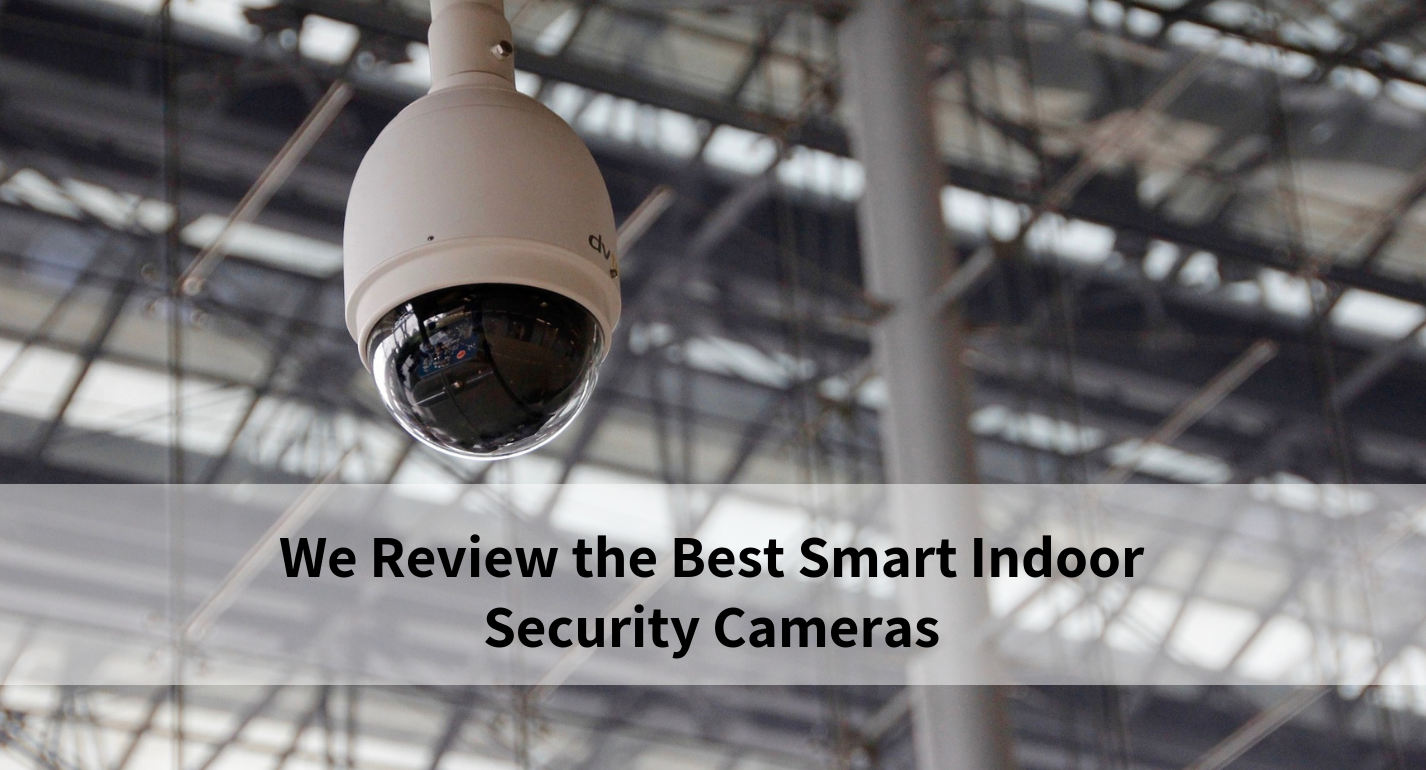
Before you spend a single dollar, it helps to understand what separates a great indoor camera from a mediocre one. The best cameras balance image quality, reliable motion alerts, and honest privacy protections — without burying you in a monthly subscription fee you didn't see coming. You'll also want to think about whether the camera fits into your existing smart home setup, how easy it is to install, and whether the companion app is actually pleasant to use day to day. We cover all of that in the buying guide below. But first, here's a quick look at our top picks for 2026 and where you can find even more options in our security camera reviews section.
Contents
- Top Rated Picks of 2026
- In-Depth Reviews
- WYZE Cam v4 — Best Value Pick
- Arlo Essential Indoor 2K (2nd Gen) — Best Privacy Features
- Google Nest Cam Indoor (Wired, 3rd Gen) — Best for Google Home Users
- Blink Mini — Best Ultra-Budget Option
- Ring Indoor Cam — Best for Amazon/Ring Ecosystem
- TP-Link Tapo C225 — Best Pan/Tilt Camera
- eufy Indoor Cam S350 Bundle — Best for Local Storage
- Buying Guide
- Frequently Asked Questions
- Key Takeaways
Top Rated Picks of 2026
- #PreviewProductRating
- Bestseller No. 1
 Rating:

- Bestseller No. 2
 Rating:
 - Bestseller No. 3
 Rating:
 - Bestseller No. 4
 Rating:
 - Bestseller No. 5
 Rating:
 - Bestseller No. 6
 Rating:
 - Bestseller No. 7
 Rating:

In-Depth Reviews

1. WYZE Cam v4 — Best Value Pick
If you want to stretch your security budget as far as it will go in 2026, the WYZE Cam v4 is hard to beat. It shoots in 2.5K Quad High-Definition (QHD) — meaning a resolution of roughly 2560×1440 pixels, noticeably sharper than standard 1080p — at a price point that makes most competing cameras look overpriced. The upgrade from the v3 is meaningful: you get cleaner image detail on faces and license plates, and the color night vision is genuinely impressive rather than the washed-out greenish tint you might remember from cheaper cameras. Wyze's color night vision uses an ambient light sensor to deliver vivid, true-color footage even in near-darkness, so you're not squinting at a grainy monochrome image at 2 a.m.
The Cam v4 is rated IP65 for weather resistance, which means it can handle rain and dust if you want to mount it near a covered entryway or in a garage. For purely indoor use, that's just a bonus. Setup is straightforward — scan a QR code, connect to your Wi-Fi, done. The Wyze app sends motion alerts quickly, and the AI-powered detection (which identifies people, packages, pets, and vehicles) works well enough without a subscription. The free tier is legitimately useful, giving you 14 days of event clips at no cost. Cam Plus adds continuous recording and AI features for a modest monthly fee, but you don't need it to get real value out of the camera.
One trade-off worth knowing: the Cam v4 requires the Wyze Outdoor Adapter (sold separately) if you want to use it outdoors full-time, and some users report the app can feel slightly cluttered compared to competitors like Arlo or Nest. It also runs on 2.4 GHz Wi-Fi only, so if your network setup puts cameras far from your router, you may notice occasional connection drops. Still, for the price, it punches well above its weight.
Pros:
- 2.5K QHD resolution at an entry-level price
- Excellent color night vision — vivid footage in low light
- IP65 weather resistance adds flexibility for covered outdoor spots
- Free 14-day event clip storage with no subscription required
- AI motion detection identifies people, pets, packages, and vehicles
Cons:
- Outdoor use requires a separate adapter (sold separately)
- 2.4 GHz only — no 5 GHz Wi-Fi support
- App interface can feel cluttered compared to premium competitors

2. Arlo Essential Indoor Security Camera 2K (2nd Gen) — Best Privacy Features
Arlo has built a strong reputation for taking privacy seriously, and the Essential Indoor 2K (2nd Gen) backs that up with a feature that still stands out in 2026: an automated privacy shield that physically covers the lens when you're home. It's not just a software toggle — it's a mechanical shutter that snaps shut when you disarm the system, so you can be absolutely certain the camera isn't watching. That alone makes it a top choice for bedrooms, home offices, or any space where you want total control over when the camera is active.
Image quality is genuinely good at 2K resolution, with a wide 130-degree field of view (FOV) that covers more of a room than most 1080p cameras. Person recognition and animal detection come built in, and the Arlo app is one of the cleaner experiences you'll find in this category — notifications are clear, live streaming loads quickly, and the remote siren activation is a nice deterrent option. The two-pack option in this listing gives you good coverage of multiple rooms without buying two separate units. Arlo throws in a one-month trial of their Secure Plan, which unlocks cloud video history and advanced AI detections. After the trial, you'll need to decide whether the subscription is worth the ongoing cost.
The main criticism with Arlo has always been the subscription paywall on cloud storage. Without a plan, you lose access to recorded clips — you can still view live footage, but event history disappears. If you're not willing to pay monthly, the Wyze or Blink cameras offer better free-tier value. But if privacy is your top priority and you want polished software to match, the Arlo Essential 2K earns its price.
Pros:
- Automated physical privacy shield — mechanical, not just a software toggle
- Sharp 2K resolution with a generous 130° field of view
- Person and animal detection with smart notifications
- Clean, responsive Arlo app with remote siren activation
- Two-cam pack for whole-home coverage
Cons:
- Cloud storage requires a paid Arlo Secure subscription after free trial
- Higher upfront cost compared to budget competitors
- No local storage option — fully cloud dependent
3. Google Nest Cam Indoor (Wired, 3rd Gen) — Best for Google Home Users
Google's 2025 Nest Cam Indoor (3rd Gen) is the most intelligently described camera on this list, and that's not marketing hype. With an Advanced Google Home Premium subscription, you get Gemini-powered event descriptions so specific that the notification might read "Kids are playing soccer in the living room" rather than a generic "Motion detected." That level of contextual awareness is genuinely new territory for home security cameras, and if you're already deep in the Google ecosystem — Nest Hub displays, Google Assistant, Android devices — the integration is seamlessly tight. 2K HDR video (HDR means High Dynamic Range, which preserves detail in both bright and shadowy parts of the frame) looks excellent, and the enhanced security features like encrypted video and two-step verification make it one of the more trustworthy cameras from a data-privacy standpoint. A green LED indicator lets you know at a glance when the camera is actively processing or streaming.
Two-way audio works well, and the Nest app has matured into one of the best camera apps available — clean navigation, responsive streaming, and good notification management. The camera is wired, which means you need to be near an outlet, but it also means you never deal with dead batteries or unexpected downtime. For deeper context on Google's Nest ecosystem and its broader smart home history, see our complete overview of Google Nest.
The honest trade-off here is the subscription model. The most compelling features — Gemini descriptions, extended video history, package detection — require Google Home Premium at $8/month. Without it, you get 3 hours of event history for free, which is modest. If you're not already a Google Home user, this camera makes less sense, and you might find better value elsewhere. But for Google households, it's the easiest camera to recommend in 2026.
Pros:
- Gemini AI delivers highly specific, contextual event descriptions
- 2K HDR video with excellent image clarity
- Encrypted video and strong account security built in
- Seamless Google Home and Google Assistant integration
- Wired design means zero battery management
Cons:
- Best features locked behind Google Home Premium subscription
- Only 3 hours of free event history without a subscription
- Less compelling if you're not already in the Google ecosystem
4. Blink Mini — Best Ultra-Budget Option
The Blink Mini proves that you don't have to spend much to get a functional, reliable indoor security camera. It shoots 1080p HD video, has two-way audio, detects motion, and sends alerts to your phone — all the fundamentals you actually need, done well. It's compact enough to disappear on a shelf or countertop, and it plugs directly into a standard outlet so there are no batteries to worry about. If you're an Amazon household, the Alexa integration is seamless: you can pull up live footage on a Fire TV Stick or an Echo Show display with a simple voice command.
Setup is genuinely easy — most people have it running in under ten minutes. The companion Blink app is simple and uncluttered. You can customize motion detection zones (so the camera only alerts you when something moves in a specific part of the frame) and adjust sensitivity so you're not getting pings every time a shadow shifts. Free cloud storage for 60 days comes with every Blink camera, which is more generous than most competitors at this price. After that, clips go through Blink's paid plan, or you can plug in a Sync Module 2 (sold separately) to save footage locally to a USB drive.
The trade-offs are real, though. 1080p is noticeably softer than the 2K and 4K cameras on this list — faces at a distance can be hard to identify. There's no HDR, no color night vision (just standard infrared night vision, which produces black-and-white footage), and no pan or tilt. For a single room or a secondary spot you want to cover cheaply, the Blink Mini is an easy yes. As your primary security camera in a high-traffic area, you might find yourself wishing for more detail.
Pros:
- Excellent price-to-performance ratio for a basic security camera
- Seamless Alexa and Amazon ecosystem integration
- Customizable motion zones to reduce false alerts
- 60-day free cloud storage trial included
- Quick, easy setup in under 10 minutes
Cons:
- 1080p resolution — noticeably softer than 2K/4K competitors
- Standard infrared night vision only (black-and-white, no color)
- No pan, tilt, or zoom capability
5. Ring Indoor Cam — Best for Amazon/Ring Ecosystem
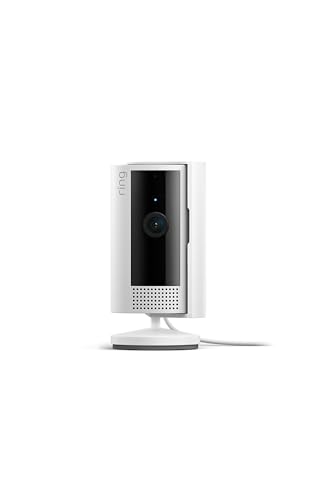
If you already have a Ring doorbell or Ring alarm system, adding the Ring Indoor Cam is one of the simplest choices you can make. Everything lives in the same Ring app, the cameras share the same notification system, and the whole setup integrates cleanly with Alexa. The camera records in 1080p HD with live view and color night vision — a step up from the Blink Mini's infrared-only approach. The color night vision is genuinely useful: instead of a grainy black-and-white image, you get a visible-color picture of what's actually happening in the room, making it much easier to identify people or objects.
One feature Ring specifically highlights is Advanced Pre-Roll, which records a few seconds of video before a motion event triggers. So when you review a clip, you see what led up to the motion, not just what happened after the camera started recording. That context can make a real difference when you're trying to piece together what happened. The manual Privacy Cover — a physical shutter you swivel over the lens — is a straightforward way to disable the camera and microphone when you want total privacy at home.
Like Arlo and Nest, Ring leans heavily on its subscription (Ring Protect) for cloud storage. Without it, you can see live footage but won't have recorded video to review. Ring Protect Basic is inexpensive at around $4/month per camera, but it adds up if you're covering a whole home. Also worth noting: if you're not already in the Ring ecosystem, this camera doesn't offer compelling reasons to join compared to Wyze or TP-Link at similar price points.

Pros:
- Excellent fit for existing Ring and Amazon smart home setups
- Color night vision produces identifiable footage in low light
- Advanced Pre-Roll captures seconds before motion triggers
- Physical privacy cover for manual camera and mic shutoff
Cons:
- Cloud storage requires Ring Protect subscription
- 1080p resolution — no 2K or 4K option in this model
- Less attractive if you don't already use Ring products
6. TP-Link Tapo C225 — Best Pan/Tilt Camera
The TP-Link Tapo C225 stands out in one key way: it moves. A pan/tilt camera (one that rotates both horizontally and vertically via the app or automatically) covers far more ground than a fixed camera without requiring you to buy multiple units. The C225 delivers a full 360-degree horizontal field of view with 2K QHD resolution and an F1.6 large aperture lens — that wider aperture means the sensor captures more light than a standard lens, which translates to brighter, sharper footage in dim conditions. This is one of the better-performing cameras on this list in low light without relying purely on night vision mode.
The physical privacy mode here is genuinely clever: the camera housing physically rotates to block the lens, rather than just a software disable or a sliding cover. One tap in the Tapo app and the camera turns itself away. For Apple users, HomeKit compatibility is built in, which puts the Tapo C225 in rare company at this price point — most cameras this affordable don't support HomeKit natively. It also works with Alexa and Google Home, and the Tapo app supports local storage via microSD card (up to 512GB) as well as cloud storage, so you have real flexibility in how you handle recordings. Motion tracking works well in practice: the camera follows moving subjects across the frame smoothly.
The Red Dot Design Award (2022) listed in the specs is a real credential — the camera looks considerably more polished than most budget-tier options. The Tapo app is functional and improving, though it's not quite as refined as Arlo's or Nest's. And while the pan/tilt feature is excellent for large rooms, if you want a fixed camera that you never think about, something like the Wyze or Blink might feel simpler to manage day to day.

Pros:
- 360° pan/tilt covers entire rooms without multiple cameras
- 2K QHD resolution with bright F1.6 aperture — excellent in low light
- Native Apple HomeKit support at an accessible price point
- Innovative physical privacy mode — camera housing covers the lens
- Local microSD storage option (no mandatory subscription)
Cons:
- Tapo app less refined than premium competitors
- 2.4 GHz Wi-Fi only — may struggle at range in larger homes
- Pan/tilt motor adds mechanical complexity over time
7. eufy Indoor Cam S350 Bundle — Best for Local Storage
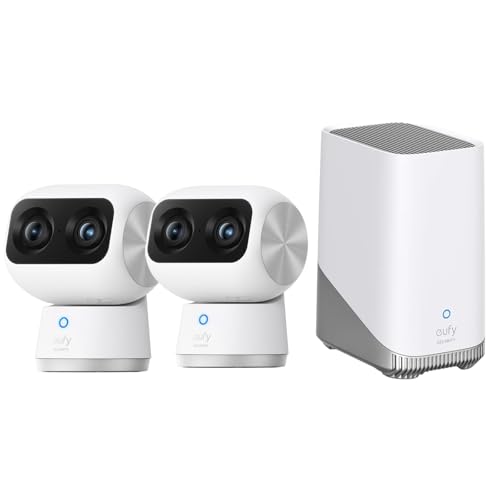
The eufy Indoor Cam S350 bundle is the premium pick on this list, and it earns that spot in a specific way: it includes a HomeBase S380 hub that stores up to 16GB of footage locally — no monthly cloud subscription required. If the idea of paying indefinitely for cloud storage bothers you, or if you have genuine privacy concerns about your video being stored on a third-party server, this is the system that solves that problem outright. 4K UHD resolution — 3840×2160 pixels — delivers the most detailed image quality of any camera here. Faces, text, and fine details are captured with a level of clarity that 1080p and 2K cameras simply can't match.
What makes the S350 technically interesting is its dual-camera design. Each unit has both a 4K wide-angle camera and a 2K telephoto camera, which work together to deliver 8× hybrid zoom (a combination of optical and digital zoom) without the smearing you'd expect from purely digital zoom. The 360° pan/tilt coverage eliminates blind spots in a room, and the system works well as a baby monitor or pet camera given the level of zoom detail available. The two-cam kit with HomeBase gives you a starting point for a real local storage security system.
The trade-off is price and complexity. This is the most expensive option on the list by a meaningful margin, and the HomeBase hub is an extra device you need to plug in and set up. eufy's app is solid but not the most intuitive for first-time setup. And while 16GB of local storage sounds like a lot, continuous recording at 4K will fill it faster than you might expect — the system handles this with loop recording (overwriting the oldest footage), which is standard practice. For anyone who wants to avoid subscriptions and get the best image quality available, the S350 bundle is the clear choice in 2026.

Pros:
- 4K UHD resolution — sharpest image quality on this list
- 16GB local storage with HomeBase — no cloud subscription needed
- Dual-camera design with 8× hybrid zoom
- 360° pan/tilt with full room coverage and no blind spots
- Works well as a baby monitor or pet camera thanks to zoom detail
Cons:
- Highest price point of all cameras reviewed here
- Requires HomeBase hub as an additional device
- 4K footage fills 16GB local storage relatively quickly
Buying Guide: How to Choose the Best Smart Indoor Security Camera
With seven solid options reviewed above, the real question is which one fits your specific situation. Here's what actually matters when you're making the decision.
Resolution and Image Quality
You'll see 1080p, 2K (also called QHD at roughly 2560×1440), and 4K (3840×2160) cameras in this category. The difference matters in practice. 1080p is adequate for basic monitoring in a small room but can struggle to capture recognizable facial detail at distances beyond 10–15 feet. 2K hits a useful sweet spot — noticeably sharper than 1080p, with more manageable file sizes than 4K. 4K delivers the most detail but chews through storage space faster and requires a stronger Wi-Fi connection to stream reliably.
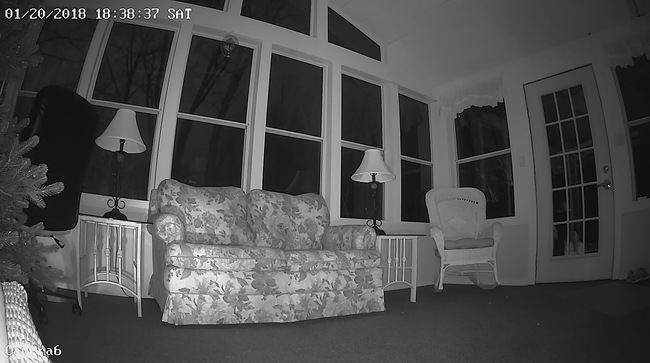
Night vision quality is just as important as daytime resolution. Standard infrared night vision (common in budget cameras) produces black-and-white footage. Color night vision — found on the Wyze v4, Ring Indoor Cam, and others here — uses ambient light to deliver actual color images in low-light conditions, which makes it much easier to identify people and objects. If your camera location has any ambient light at night (streetlights, night lights, indicator LEDs), color night vision is worth choosing over standard infrared.
Storage: Cloud vs. Local

This is where many buyers get a surprise after purchase. Cloud storage means your recorded footage is saved on the manufacturer's servers, accessible from anywhere — but most manufacturers charge a monthly or annual fee for anything beyond a very short free clip history. Arlo, Ring, and Nest all use this model. The convenience is real: clips are accessible from anywhere, and the footage is safe even if someone steals or destroys the camera. Local storage (microSD card or a hub like eufy's HomeBase) means you pay once and own the storage — no recurring fees. The Tapo C225 and eufy S350 both support local storage. The Wyze Cam v4 is the best of both worlds: free 14-day event clip history on the cloud, plus optional paid plans and microSD support.
One more consideration: if you're concerned about data privacy and who has access to your footage, local storage gives you full control. Our guide on how to prevent your smart home from being hacked covers the security side of camera networks in detail — worth reading before you set up any cloud-connected device at home.
Smart Home Compatibility

If you already use Alexa, Google Home, or Apple HomeKit, check compatibility before buying. Most cameras on this list work with at least one of the big three voice assistants. Apple HomeKit (which allows iPhones and iPads to display camera feeds natively) is the most restrictive — only the Tapo C225 and Arlo among these cameras support it natively. Nest, obviously, integrates deepest with Google Home. Ring and Blink are the natural fits for Alexa households. For a broader look at how easy-to-install cameras fit into a complete home security setup, the best plug-and-play home security cameras guide covers cameras that require zero technical setup.
Privacy Features and Motion Detection
Indoor cameras sit inside your home, so privacy controls matter more than they do for outdoor cameras. Look for a camera with a physical privacy shutter — the Arlo Essential 2K and Ring Indoor Cam both offer this. A physical cover can't be bypassed by a software bug or a remote hack. Motion detection sensitivity and zone configuration (letting you draw a virtual box around the area you want monitored) reduce false alerts from fans, pet movement, or shadows. Person detection specifically — which distinguishes humans from general motion — dramatically improves notification quality. All of the 2K and above cameras on this list include some form of AI-powered detection, though the quality and subscription requirements vary.

Frequently Asked Questions
Do I need a subscription to use a smart indoor security camera?
Not necessarily. The Wyze Cam v4, TP-Link Tapo C225, and eufy S350 all offer meaningful functionality without a paid subscription — free event clips, local microSD or hub storage, and basic motion alerts. Cameras like Arlo, Ring, and Nest offer a free tier, but their most useful features (extended clip history, AI detection, detailed notifications) are locked behind paid plans. Before buying, check what the free tier actually gives you and whether it matches how you plan to use the camera.
What resolution do I actually need for an indoor security camera?
For most homes, 2K (QHD) is the practical sweet spot in 2026. It's sharp enough to identify faces and read text at normal indoor distances, streams well over typical Wi-Fi, and doesn't fill storage as quickly as 4K. Go with 1080p if budget is the priority and you're monitoring a small, close-up area like a crib. Choose 4K if you want maximum detail for large rooms or need to zoom in on specific areas of the footage after the fact.
Are indoor security cameras safe from hackers?
Any internet-connected device carries some risk, but you can reduce it significantly. Use a strong, unique Wi-Fi password, enable two-factor authentication (2FA) on your camera app account, and keep the camera's firmware updated. Cameras with encrypted video transmission — like the Google Nest Cam — add an extra layer of protection. Opting for local storage via microSD or a hub (as with eufy) keeps your footage off third-party servers entirely. For a thorough walkthrough of smart home security practices, see our guide on preventing your smart home from being hacked.
Can I use an indoor security camera as a baby monitor?
Yes, and many buyers do exactly this. Look for a camera with two-way audio (so you can talk back to your baby), clear night vision (since most monitoring happens in dim light), and reliable motion or sound alerts. Pan/tilt cameras like the Tapo C225 and eufy S350 are especially useful in nurseries because they can follow movement across the room. The eufy S350's 8× zoom is particularly good for checking in without waking a sleeping child. Just make sure the camera is mounted well out of reach and that any power cord is secured safely away from the crib.
What's the difference between cloud storage and local storage for security cameras?
Cloud storage saves your footage on the manufacturer's remote servers, accessible from anywhere but usually requiring a monthly fee after a free trial period. Local storage saves footage to a microSD card in the camera itself or to a local hub device, with no ongoing cost but no remote backup if the device is stolen or damaged. Many cameras support both — Wyze and Tapo C225, for example, offer microSD card slots with optional cloud backup. If you're price-sensitive long-term, prioritize a camera with local storage. If remote access to older footage is important, a cloud plan is worth the cost.
Where is the best place to position an indoor security camera?
The most effective indoor camera positions are entry points (facing front doors, back doors, and windows), main living areas with clear sightlines to multiple rooms, and stairways that anyone passing through the home would cross. Mount cameras at a height of about 7–9 feet — high enough to capture faces at a downward angle, low enough to get usable facial detail. Avoid pointing cameras directly at windows (backlight washes out the image) or at places where the indicator LED would be visible from outside and reveal the camera's position. For high-traffic areas like living rooms, a pan/tilt camera gives you full coverage without requiring multiple fixed units.

Buy on Walmart
- WYZE Cam v4 (Latest Model), 2.5K AI Security Camera, Indoor/ — Walmart Link
- Arlo Essential Indoor Security Camera 2K (2nd Gen, 2023 Rele — Walmart Link
- Google Nest Cam Indoor (Wired, 3rd Gen) - Security Camera wi — Walmart Link
- Blink Mini - Compact indoor plug-in smart security camera, 1 — Walmart Link
- Ring Indoor Cam, Home or business security in 1080p HD video — Walmart Link
- TP-Link Tapo 2K QHD Pan/Tilt Wi-Fi Camera | Apple HomeKit | — Walmart Link
- eufy Securtiy Indoor Cam Bundle:Indoor Cam S350 2-Cam Kit wi — Walmart Link
Buy on eBay
- WYZE Cam v4 (Latest Model), 2.5K AI Security Camera, Indoor/ — eBay Link
- Arlo Essential Indoor Security Camera 2K (2nd Gen, 2023 Rele — eBay Link
- Google Nest Cam Indoor (Wired, 3rd Gen) - Security Camera wi — eBay Link
- Blink Mini - Compact indoor plug-in smart security camera, 1 — eBay Link
- Ring Indoor Cam, Home or business security in 1080p HD video — eBay Link
- TP-Link Tapo 2K QHD Pan/Tilt Wi-Fi Camera | Apple HomeKit | — eBay Link
- eufy Securtiy Indoor Cam Bundle:Indoor Cam S350 2-Cam Kit wi — eBay Link

Key Takeaways
- The WYZE Cam v4 delivers 2.5K resolution, color night vision, and a genuinely useful free storage tier — making it the best all-around value for most buyers in 2026.
- The eufy Indoor Cam S350 bundle is the top pick if you want 4K detail and zero ongoing subscription costs, with 16GB of local storage built into the HomeBase hub.
- The TP-Link Tapo C225 is the best choice for large rooms, offering 360° pan/tilt coverage, 2K QHD resolution, native HomeKit support, and local microSD storage at a mid-range price.
- If you're already invested in the Google, Ring, or Amazon ecosystem, the Google Nest Cam Indoor (3rd Gen) or Ring Indoor Cam will integrate most seamlessly — just factor the subscription cost into your total budget before buying.


About Robert Fox
Robert Fox spent ten years teaching self-defence in Miami before transitioning into home security consulting and writing — a background that gives him an unusually practical, threat-aware perspective on residential security. His experience spans physical security assessment, lock and alarm system evaluation, and the behavioral habits that make homes harder targets. At YourHomeSecurityWatch, he covers home security product reviews, background check and criminal records resources, and practical guides on protecting your property and family.
You can Get FREE Gifts. Furthermore, Free Items here. Disable Ad Blocker to receive them all.
Once done, hit anything below