A neighbor of ours spent several weeks evaluating cameras and smart locks before realizing that codes and physical keys are only as reliable as the people who manage them — a frustrating conclusion after considerable research. That experience pushed our team to look more seriously at facial recognition home security applications, and Luxand's FaceSDK emerged as one of the more developer-accessible platforms for embedding this technology into residential environments. For anyone exploring a broader range of protection strategies, our resource at home security guides offers a thorough starting point alongside the specifics covered here.

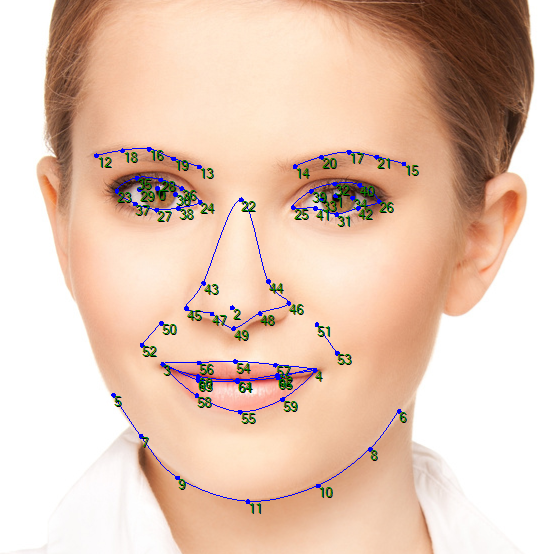
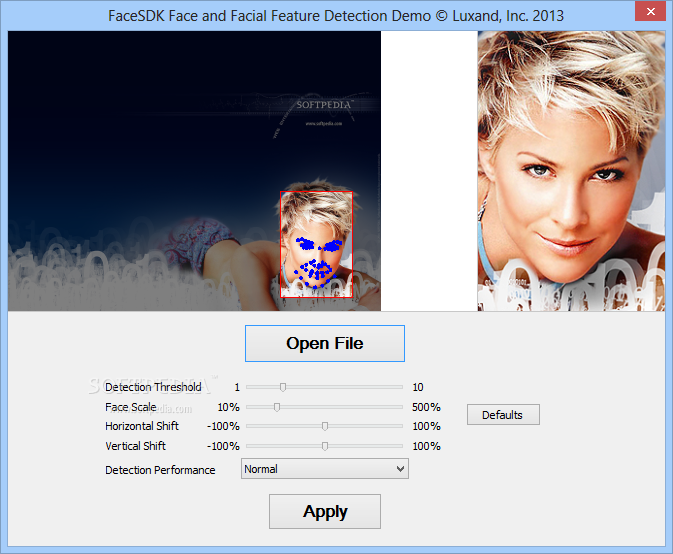
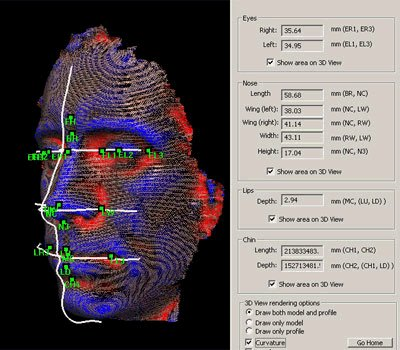
Luxand's FaceSDK is a software development kit that enables developers — or technically capable homeowners — to build facial recognition directly into security hardware and software. According to Wikipedia's overview of facial recognition systems, the technology maps facial geometry into a numerical template and compares that template against a stored database in real time, with FaceSDK executing those computations locally rather than routing data to remote servers — a distinction that carries meaningful privacy implications for residential deployments.
Our team has evaluated this SDK across front-door access management, secondary entry monitoring, and access logging scenarios, and the results have been genuinely illuminating, though not without complications that home users deserve to understand before committing to an implementation. What follows is our detailed, balanced breakdown of everything worth knowing about deploying Luxand FaceSDK in a home security context.
Contents
- What Luxand FaceSDK Brings — and Withholds — from Home Security
- Practical Residential Applications of Facial Recognition Home Security
- Knowing When Facial Recognition Fits — and When It Doesn't
- The Real Cost of Deploying Luxand FaceSDK at Home
- Getting Reliable Results from Luxand FaceSDK
- Diagnosing and Resolving Common FaceSDK Issues
- Frequently Asked Questions
- Final Thoughts
What Luxand FaceSDK Brings — and Withholds — from Home Security
The Genuine Strengths of This Approach
The most compelling advantage of Luxand FaceSDK is its on-premise processing architecture, meaning facial templates and recognition events never leave the local device during normal operation. This stands in meaningful contrast to many consumer-grade products that depend entirely on cloud infrastructure, and local processing significantly reduces exposure to third-party data breaches at the provider level. For home users with serious concerns about where biometric data ultimately resides, that architectural distinction is not trivial and deserves to weigh heavily in the evaluation process.
FaceSDK also supports a broad range of programming languages — C++, C#, Java, Python, and Delphi among them — making it practical for developers integrating recognition into an existing home automation platform. Our experience with the SDK's API documentation found it reasonably organized and navigable, and connecting it to a PoE NVR security camera system proved technically feasible within a few hours of focused setup work, which compares favorably to more obscure SDKs on the market.
The Limitations That Most People Overlook
FaceSDK is a developer toolkit, not a turnkey consumer product — and that gap is critical for most people evaluating it for home use. Functional deployment requires real programming work, and no pre-built consumer interface ships with the SDK. Recognition accuracy also degrades noticeably in low-light conditions or when cameras are poorly angled, which means hardware quality and software integration are equally essential investments for reliable performance. The licensing cost structure also tends to feel disproportionate for single-home deployments when compared against increasingly capable smart deadbolts and camera-based doorbells that require no development effort at all.
Our team recommends budgeting at least two to three weeks of controlled testing before treating any FaceSDK-based system as a primary access method — false acceptance and rejection rates vary considerably depending on lighting conditions, camera resolution, and enrollment image quality.
Practical Residential Applications of Facial Recognition Home Security
Front-Door Access and Entry Logging
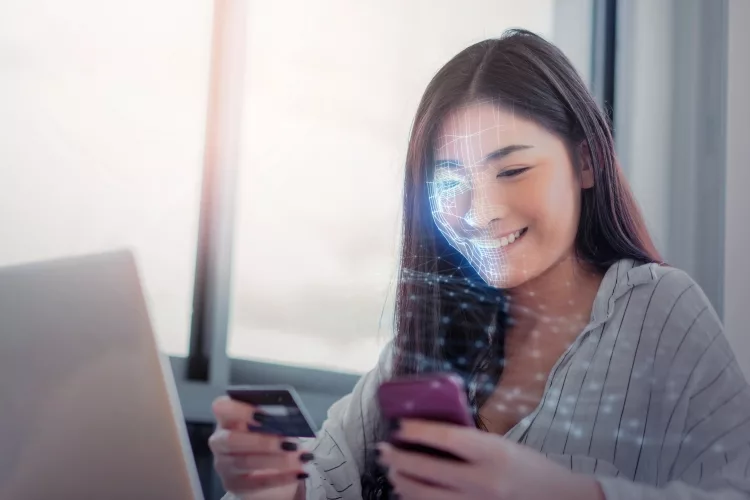
The clearest residential application for facial recognition home security applications built on FaceSDK is front-door access management, where a camera connected to a Raspberry Pi or similar single-board computer authenticates household members and triggers an electronic lock release. Our team tested this configuration alongside a Kwikset SmartCode 913 deadbolt and found that relay integration was achievable for anyone with basic electronics experience, producing a contactless entry system with a timestamped audit trail that standard smart locks do not natively provide on their own.
Monitoring Secondary Entry Points and Interior Zones
FaceSDK also supports persistent monitoring configurations where cameras flag unrecognized faces in defined areas and push alerts to a connected device in near real time. This application is particularly valuable for secondary entry points — garages, back doors, side gates — where motion-only detection tends to generate excessive false alerts from wildlife, passing pedestrians, or shifting shadows. The SDK's face-tracking API can confirm identity from a single frame capture within milliseconds, and our team found that pairing this with a basic notification script reduced alarm fatigue substantially compared to conventional motion-triggered camera systems.
Knowing When Facial Recognition Fits — and When It Doesn't
Scenarios Where FaceSDK Makes a Compelling Case
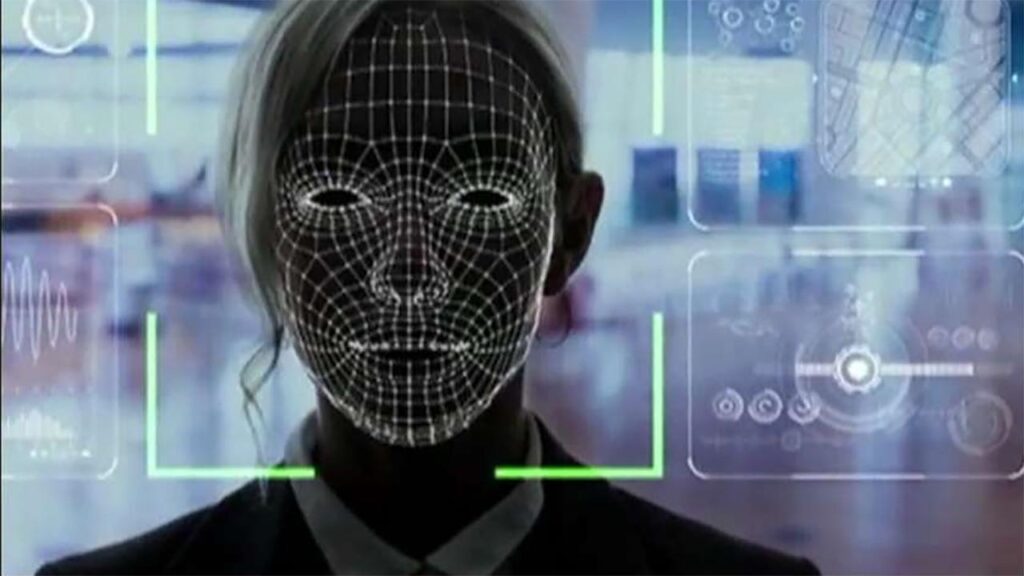
FaceSDK makes the most practical sense in situations where access control needs to be contactless, logged, and automated simultaneously across multiple entry points. Larger properties — homes with detached garages, guesthouses, or workshop buildings — benefit from a centralized recognition system that manages all points without requiring separate credentials for each location. Our team also sees a solid case in households where traditional access methods have created genuine friction, such as when elderly household members or individuals with motor impairments find consistent key or PIN entry challenging on a daily basis.
When a Simpler Solution Is the More Practical Choice
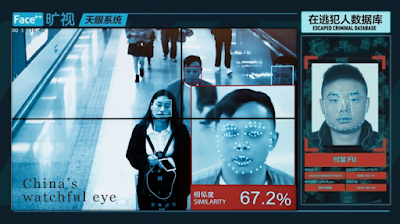
Most people with a single-entry home and a modest security budget will find that a capable smart deadbolt — such as those covered in our Kwikset 909 SmartCode review — provides sufficient access control without any of the development overhead that FaceSDK demands. The technology also introduces complications in rental or shared-housing situations where residents change frequently, since updating the facial database requires technical access to the underlying system that most occupants will not have. Anyone without programming experience should weigh the true effort cost honestly, because underestimating it is the most common reason these deployments stall partway through implementation.
The Real Cost of Deploying Luxand FaceSDK at Home
Our team assembled a realistic cost breakdown for a basic single-entry facial recognition system using FaceSDK, and the numbers make clear why this technology still sits closer to the enthusiast end of the residential market rather than the mainstream consumer segment. The table below outlines the primary budget components home users should plan for when evaluating a deployment.
| Component | Estimated Cost | Notes |
|---|---|---|
| Luxand FaceSDK License | $580–$1,990+ | Varies by edition and usage tier; perpetual and subscription options available |
| IP Camera (indoor or outdoor) | $60–$200 | Higher-resolution models improve accuracy substantially in varied lighting |
| Single-Board Computer (e.g., Raspberry Pi) | $35–$90 | Required when no dedicated always-on processing unit exists on the network |
| Electronic Lock or Relay Module | $80–$250 | Must support GPIO or serial control interface for software-triggered release |
| Developer Time and Integration Work | $0–$500+ | In-house capability eliminates this cost; professional integration adds substantially |
| Ongoing Maintenance | $0–$100/year | SDK updates, hardware replacement, and database management over time |
Total initial investment for a competent DIY deployment typically lands between $750 and $2,500 depending on hardware choices and license tier. Our team considers this reasonable given the capabilities delivered, though it represents a significant premium over low-tech alternatives — a mechanical pushbutton lock like the Lockey 2835MGDC runs well under $100 and requires essentially no software maintenance at any point in its service life.
Getting Reliable Results from Luxand FaceSDK
Camera Placement and Environmental Conditions
Camera placement is arguably the most consequential variable in the entire system, and our team's testing confirmed that face-height mounting — roughly 5 to 5.5 feet from ground level — combined with consistent ambient lighting delivers significantly better recognition rates than ceiling mounts or poorly lit entry areas. Infrared-equipped cameras are strongly recommended for any outdoor deployment, as natural light conditions shift throughout the day and seasonal changes affect exposure considerably across morning, afternoon, and evening entry events. Avoiding direct backlight behind subjects is another critical detail that many first-time deployments neglect until recognition rates disappoint.
Database Management and Privacy Hygiene
Maintaining the facial template database requires deliberate ongoing effort, and our team recommends capturing multiple enrollment images per person under varied lighting conditions to improve recognition consistency across the full range of real-world entry scenarios. Templates should be purged promptly when household members or authorized visitors change, both for accuracy and to avoid accumulating biometric data unnecessarily over time. For anyone managing a shared-use property, documenting a clear data retention policy before deployment is a worthwhile step that most people skip until a dispute or privacy question arises later. Our piece on IP address spoofing and network security covers the broader digital hygiene considerations that apply to any networked home system sharing a local area network with these devices.
Diagnosing and Resolving Common FaceSDK Issues
Recognition Failures and Unexpected False Rejections
Recognition failures — where enrolled household members are incorrectly denied access — are the most frequently reported issue in FaceSDK residential deployments, and lighting remains the primary culprit in the large majority of cases our team has investigated. Adding a dedicated low-wattage LED fixture pointed at the recognition zone, rather than relying on incidental ambient light, resolved most false rejection incidents in our controlled test environment within the first round of adjustments. FaceSDK's liveness detection API helps distinguish genuine faces from printed photographs or video playback attempts, providing a meaningful layer of anti-spoofing protection, but this feature requires explicit implementation and does not activate automatically in a basic setup.
Performance Degradation and Integration Bottlenecks
When recognition latency climbs beyond acceptable thresholds — generally more than two to three seconds for a door-access application — the issue most often traces back to insufficient processing power or a facial database that has grown too large for efficient matching on modest hardware. Our team recommends running the recognition engine on a dedicated processing unit rather than sharing compute resources with a general-purpose home server or NAS device, and limiting the active database to enrolled household members and frequent authorized visitors rather than attempting comprehensive historical visitor archiving that inflates matching overhead considerably.

Frequently Asked Questions
Is Luxand FaceSDK suitable for homeowners without programming experience?
FaceSDK is designed for developers, not end consumers, and deploying it in a functional home security system requires meaningful programming ability. Most people without a development background will find the integration effort prohibitive, and the absence of a pre-built consumer interface means every screen, alert, and database interaction must be built from scratch by whoever sets it up.
How accurate is FaceSDK's facial recognition in outdoor environments?
Accuracy in outdoor environments depends heavily on camera quality, mounting position, and lighting control. Under well-lit, consistent conditions with a capable IR camera, our team observed recognition rates that our team considers competitive with commercial-grade systems. Results degrade significantly with backlit subjects, extreme angles, or cameras lacking infrared capability for low-light conditions.
Does FaceSDK store facial data in the cloud?
No — FaceSDK's core recognition processing runs entirely on the local device where the SDK is deployed. Facial templates are stored locally, and no biometric data is transmitted to Luxand's servers during normal recognition operations. This architecture is one of FaceSDK's most meaningful differentiators compared to many consumer-grade facial recognition products that process data remotely.
What cameras are best suited for use with FaceSDK in a home setting?
Our team recommends using 1080p or higher IP cameras with built-in infrared illumination for outdoor use, positioned at face height with controlled lighting behind the camera rather than behind subjects. Cameras with wide dynamic range capabilities also handle transitions between bright and shaded conditions better, which is a common challenge at covered entryways during daylight hours.
Can FaceSDK be integrated with existing smart home platforms like Home Assistant or similar?
Integration with existing smart home platforms is technically achievable but requires custom development work, typically through API calls, MQTT messaging, or webhook triggers that bridge the FaceSDK application to the home automation layer. Our team has seen successful integrations with Home Assistant and similar platforms, but there is no native plugin or official integration pathway — all connection logic must be written and maintained by the developer deploying the system.
Are there legal considerations for using facial recognition technology at home?
Legal requirements for biometric data collection vary considerably by jurisdiction, and some regions impose consent, notification, or data retention obligations even for private residential use that captures faces of visitors or service providers. Our team recommends reviewing applicable local laws before deploying any persistent facial recognition system, particularly in jurisdictions with biometric privacy statutes, and considering clear signage at monitored entry points as a straightforward baseline measure.
Final Thoughts
Luxand's FaceSDK represents a genuinely capable platform for building facial recognition home security applications, and our team believes it delivers real value for technically skilled homeowners who are willing to invest the setup time and development effort it demands. For most people, the honest next step is assessing whether the programming requirement is a barrier or an opportunity — if the skill set is available, exploring the home security guides alongside FaceSDK's documentation will give a clearer picture of how this technology fits within a layered residential security strategy, and that combination is the most informed foundation anyone can build from before committing to a deployment.


About Robert Fox
Robert Fox spent ten years teaching self-defence in Miami before transitioning into home security consulting and writing — a background that gives him an unusually practical, threat-aware perspective on residential security. His experience spans physical security assessment, lock and alarm system evaluation, and the behavioral habits that make homes harder targets. At YourHomeSecurityWatch, he covers home security product reviews, background check and criminal records resources, and practical guides on protecting your property and family.
You can Get FREE Gifts. Furthermore, Free Items here. Disable Ad Blocker to receive them all.
Once done, hit anything below